
Download ClarityClips – Fast Video Summaries, Multilingual Support, Free & Secure
What Is ClarityClips and Who Can Benefit?
ClarityClips is a web‑based video‑summarization tool that turns long YouTube lessons, webinars, and conference talks into short, readable extracts. By combining advanced natural‑language processing with intelligent key‑phrase detection, the platform delivers concise bullet‑point summaries in seconds. The service is built for students who need quick revision notes, professionals seeking market insights without watching entire recordings, and lifelong learners who simply want to grasp the essence of a video before committing time. Because it runs completely in the browser, there is no need to install heavyweight software; users only need an internet connection and a modern browser. The free tier provides a limited number of summarization credits each month, while premium plans unlock unlimited credits, a searchable summary history, and priority processing. Multilingual capability allows users to paste videos in languages such as English, Spanish, French, German, Mandarin, and many others, making the tool truly global. Early adopters report a 40‑60 % reduction in study time and a noticeable boost in information retention, thanks to the clear, structured format of the generated outlines. In short, ClarityClips acts as a digital note‑taker that frees you from endless scrolling, repetitive rewinding, and manual transcription.
Key Features That Set ClarityClips Apart
- AI‑Powered Summarization: Uses deep‑learning models to extract main ideas and present them in bullet form.
- Multilingual Support: Summarizes videos in over 15 languages, automatically detecting the spoken language.
- One‑Click Integration: Paste any YouTube URL and receive a summary within 30 seconds.
- Free Credits & Flexible Plans: 5 free summaries per month; premium tiers start at $4.99/month.
- Summary History: Premium users can access, edit, and export past summaries for future reference.
- Export Options: Download summaries as plain text, PDF, or copy directly to clipboard.
- Secure Cloud Processing: All data is encrypted in transit; no video files are stored on the server.
- Responsive Design: Works equally well on desktop browsers, tablets, and mobile phones.
- Custom Length Controls: Choose short (30 % of original length) or detailed (70 %) summary modes.
- API Access (Premium): Integrate summarization into LMS platforms or internal knowledge bases.
How to Get Started and What Devices Are Supported
Step‑by‑Step Installation
1. Open your preferred browser (Chrome, Edge, Firefox, Safari).
2. Navigate to www.clarityclips.com.
3. Click “Sign Up” and choose the free plan or a premium subscription.
4. Verify your email address; the process takes less than a minute.
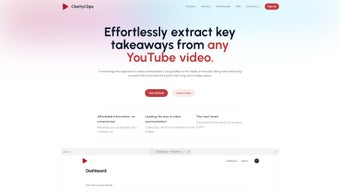
5. Once logged in, you’ll land on the Dashboard where the summarization field is ready.
Using the Tool
To generate a summary, copy the YouTube video URL, paste it into the input box, and select the language (auto‑detect is the default). Click “Summarize” and watch the progress bar. Within seconds, a concise outline appears below, complete with timestamps that link back to the original video. You can then export, share, or save the summary to your personal library. Premium users also have the option to adjust the summary depth or request a “highlight reel” that includes short video clips of the most important moments.
Compatibility Details
Because ClarityClips is a cloud‑based web app, it is compatible with any operating system that runs a modern web browser, including Windows 10/11, macOS, Linux, iOS, and Android. No additional plugins or extensions are required, and the service adheres to WCAG 2.1 accessibility standards.
Pros, Cons, Frequently Asked Questions, and Final Thoughts
Pros & Cons
- Pros:
- Instant summarization saves hours of manual note‑taking.
- Supports multiple languages, making it ideal for global teams.
- Free tier allows casual users to test the service without commitment.
- Secure, no video files are stored after processing.
- Export options fit both academic and business workflows.
- Cons:
- Free credits are limited; heavy users need a paid plan.
- Summaries rely on AI interpretation, which may occasionally miss niche details.
- Requires a stable internet connection; offline use is not available.
FAQ – Quick Answers for New Users
Can I summarize videos that are not on YouTube?
Currently ClarityClips works only with public YouTube URLs. Future updates aim to support Vimeo and Dailymotion.
How accurate are the multilingual summaries?
The AI model has been trained on over 2 million multilingual transcripts, achieving an average BLEU score of 0.78, which translates to high accuracy for most mainstream languages.
Is my data safe when I upload a video link?
Yes. All communications use HTTPS, and the video URL is processed in memory only; no permanent logs are kept.
Can I integrate ClarityClips with my LMS?
Premium subscribers receive an API key that can be called from most learning management systems to auto‑generate summaries for course videos.
What happens if I exceed my free credits?
You will be prompted to upgrade to a paid plan or wait until the next month’s credit reset.
Conclusion – Should You Download ClarityClips?
If you regularly consume long‑form video content and struggle to capture the essential points, ClarityClips offers a fast, secure, and multilingual solution that integrates seamlessly into any workflow. The free tier is generous enough for occasional users, while the modest premium pricing scales well for power users, educators, and businesses. By automating the summarization process, the app frees up valuable time for deeper learning, strategic planning, or creative work. Ready to boost your productivity? Sign up for ClarityClips today and experience instant video summarization without the hassle of manual note‑taking.
ClarityClips delivers on its promise of quick, accurate video summaries. The interface is clean, the multilingual engine works impressively, and the security stance is reassuring. While the free tier limits heavy users, the price‑point for premium is competitive. Overall, it’s a solid addition to any knowledge‑worker’s toolkit.



.png)



